Description
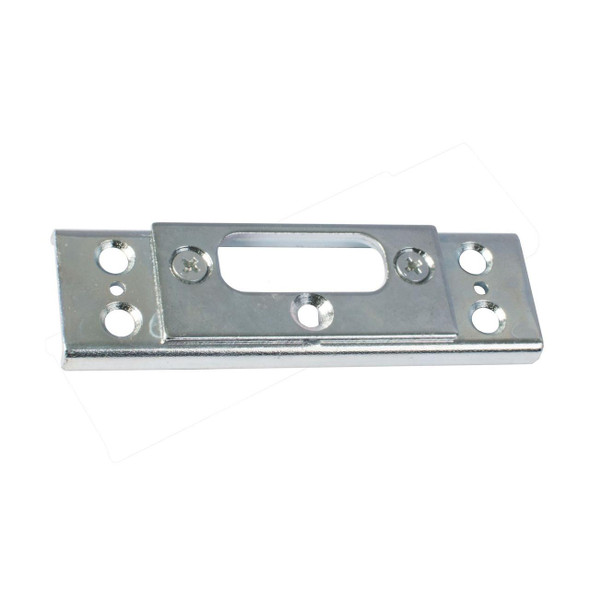
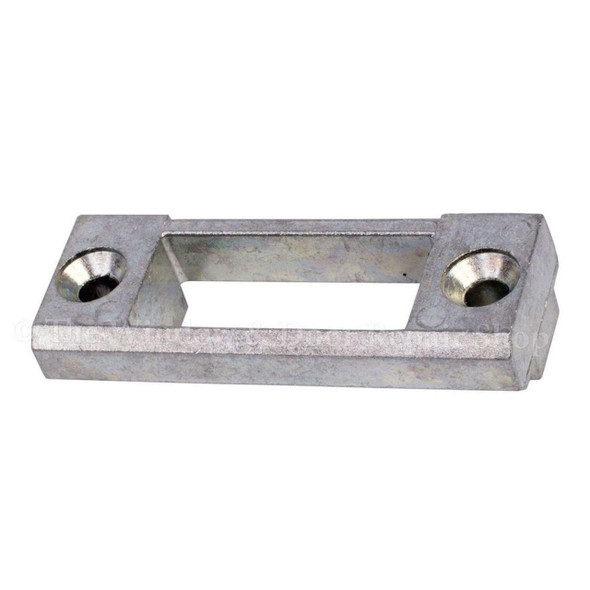
uPVC Door Keep Yale Lockmaster Centre Latch & Dead Bolt Keep Plate
These replacement Yale Lockmaster centre keeps are for use on uPVC doors, and are specifically designed to suit the Yale Lockmaster door lock.
These keeps are available in a left and a right handed version.
PLEASE NOTE: Screws are not included
Features:
- Suits Yale Lockmaster door locks
- Manufactured from solid steel
- Available in both left and right handed versions
What's in the pack?
1 x Yale Lockmaster UPVC Centre Keep Latchplate
Dimensions:
- Length: 215mm
- Width: 30mm
- Centre of Latch to Centre of Deadbolt: 100mm
Item specifics
Fixings Included: |
No |
Handing: |
Left Hand or Right Hand |
Keeps Supplied: |
1 |
Length: |
215mm |
Width: |
30mm |
Product Reviews
Delivery & Returns
Our Commitment to Fast, Reliable & Hassle-Free Service
We aim to deliver your products as quickly as possible.
Cut-off times:
- Orders placed before 2:00pm are normally dispatched the same day.
- Orders placed after 2:00pm on Friday are dispatched the following Monday.
Depending on the delivery service selected at checkout, we use Royal Mail Tracked 24 or a next-day courier service.
Free Shipping
Free shipping is available for all orders over £10.00. Estimated delivery time for free shipping is 1–2 working days.
No Quibble Money Back Returns Policy
Shop with absolute confidence. If you are not satisfied for any reason, we will refund the full purchase price provided the item is returned within 60 days in the same condition as dispatched.
Except where an item proves to be faulty, damaged on delivery, or incorrectly described, return delivery charges and postage expenses are not refunded.
How do I return items?
- Log into your account and click on the Orders tab.
- Find the order you wish to return and click “Return Items?” on the right.
- On the Returns tab:
- Enter the quantity you wish to return (right side).
- Select the return reason and return action (replacement or refund) under the item.
- If a replacement is not available, a refund will be issued.
- Use the comments box for any additional details.
- Click “Submit Return Request”.
You will then receive a return request email from JCP Hardware with instructions.
If you placed an order as a guest and wish to return it, then please email.